AUTOMATION
AI Assistant
Ask your AI assistant for the work, from your computer or your phone, and let it do it in your system with your user and your permissions.
Request a demo See it on the app storeWHY
Your team already uses an AI assistant. With this app it stops copying data by hand: ask for the work and the assistant does it in your system, as that user, leaving drafts to review.
WHAT IT DOES
Everything you need, with no side spreadsheets
Ask in your own words
“Create a draft invoice for Ana with two hours of advisory work.” The assistant finds the customer and the product and prepares it.
Customers and products
Finds and creates customers without duplicates: if the email or tax ID already exists, it uses that customer.
Quotations and invoices
Look up the latest quotations and the invoices that are unpaid or overdue. New ones are drafts, with the system's prices and taxes: nothing is confirmed or sent from the chat.
Tasks and expenses
Tasks in your projects with a deadline, and your expenses as drafts.
All your companies
Looks up every company you work with and creates records in the one you name.
Your CōAb apps
Legal deadlines, investments, treasury and risks, when those apps are installed.
Your user, your permissions
You sign in on your own page: the assistant never sees your password and can only do what you can do.
Under control
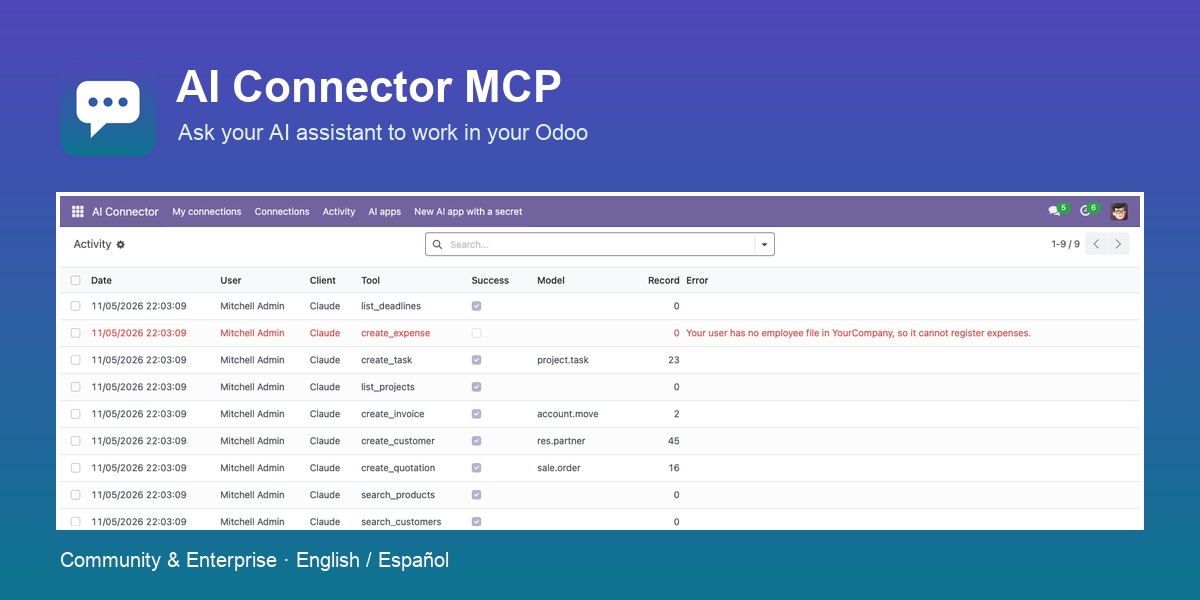
Disabled until an administrator grants access. Each user can revoke their connections, and every call is logged.
What it does not do. Business tools only: no generic database access, it deletes nothing and code editors cannot connect. Tested with Claude and ChatGPT, on the web and on mobile, and with Gemini Enterprise on the web. ChatGPT needs a Business or Enterprise plan, and the administrator adds the connector from the web; after that it also works on mobile. Gemini needs Gemini Enterprise (the Google Workspace edition does not accept custom connectors): the administrator adds the server and each user connects it once from the chat. Other assistants with remote MCP connectors should work but are not confirmed. What a tool returns reaches each user's AI provider.
WHAT IT CONNECTS TO
One figure, entered once
Requires Sales, and adds Invoicing, Project and Expenses tools when they are installed. When you install another app of the family, they connect by themselves and share their data without calculating it twice.
DEMO
Want to see it working?
We have a demo with an example of every app. Tell us what you need and we'll give you access.
Also on info@coabsoluciones.com
Spain +34 951 870 098
United States +1 786 789 0161